01 / 04
The schematic is the screen
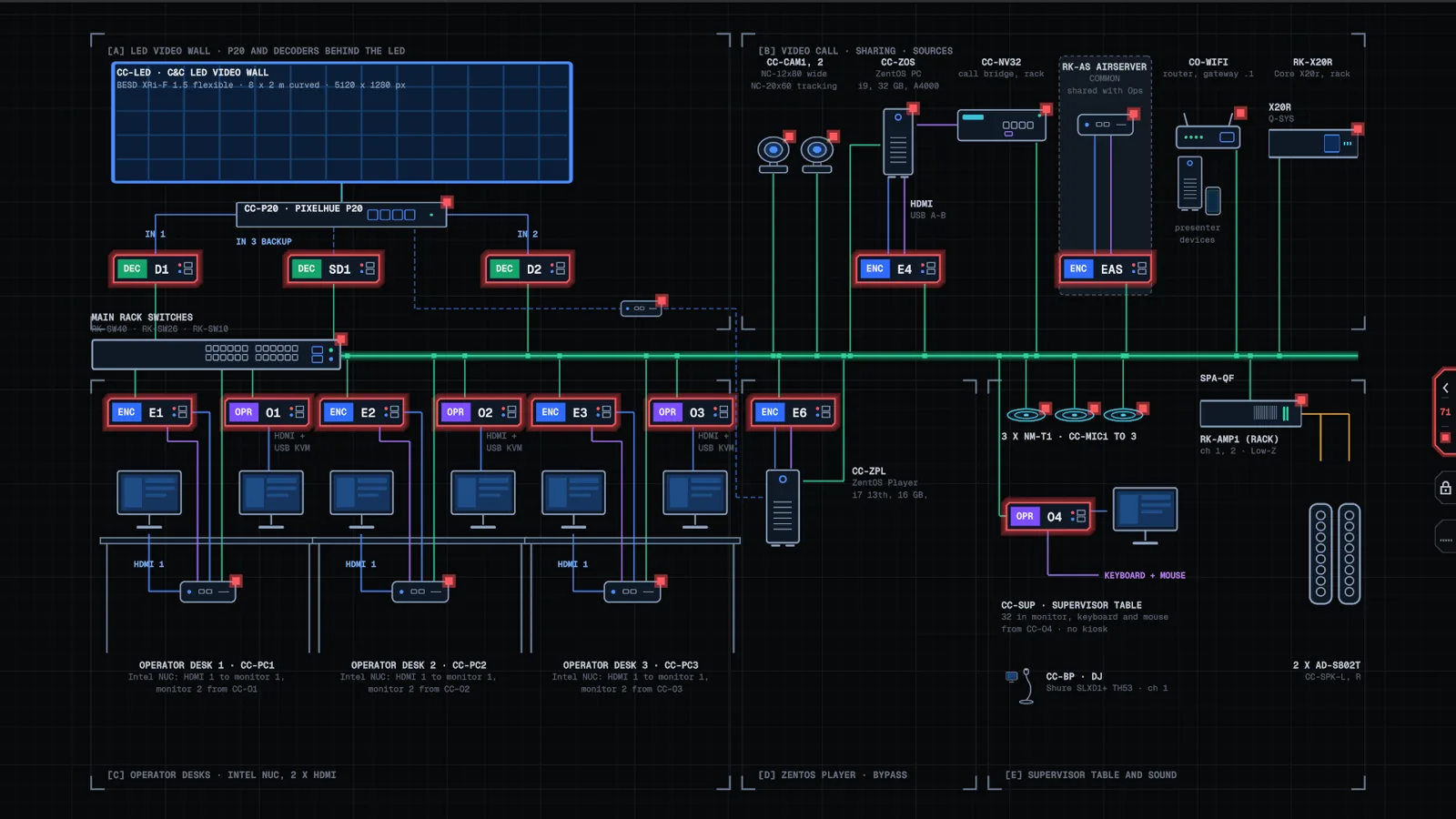
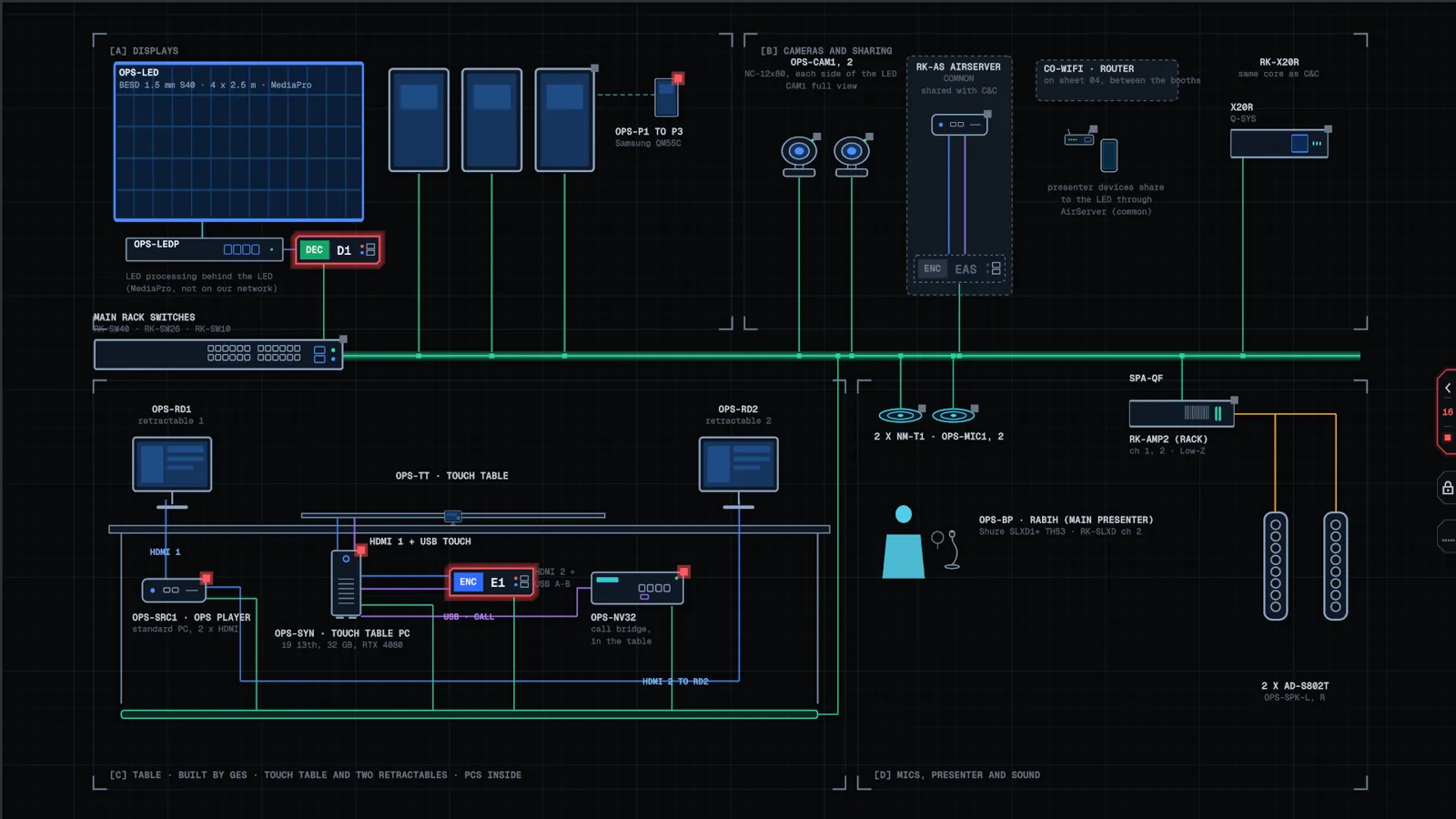
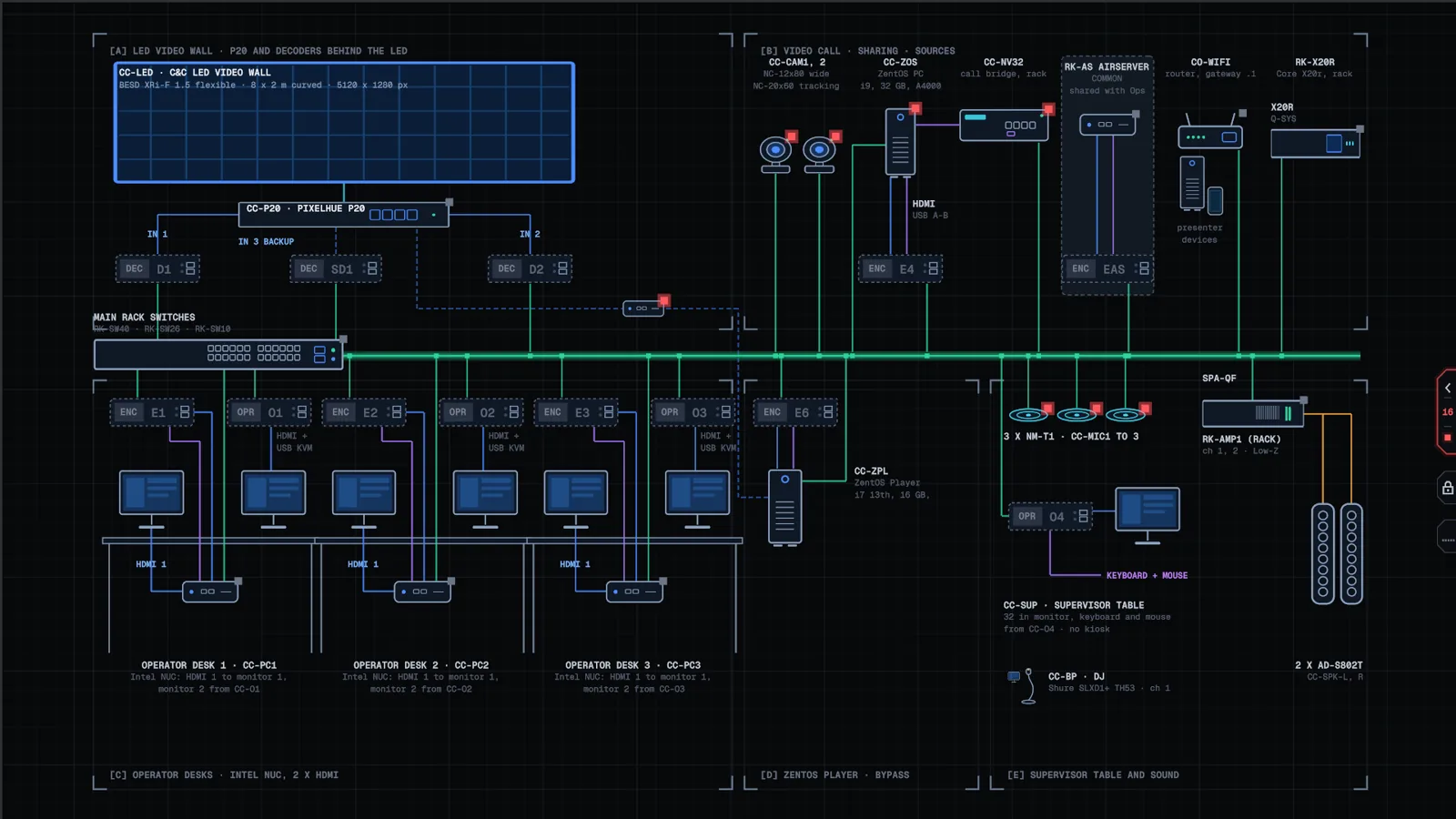
The schematic your integrator made becomes the monitoring screen: an overview, one sheet per room and a live rack view.
The schematic that tells you it’s broken.
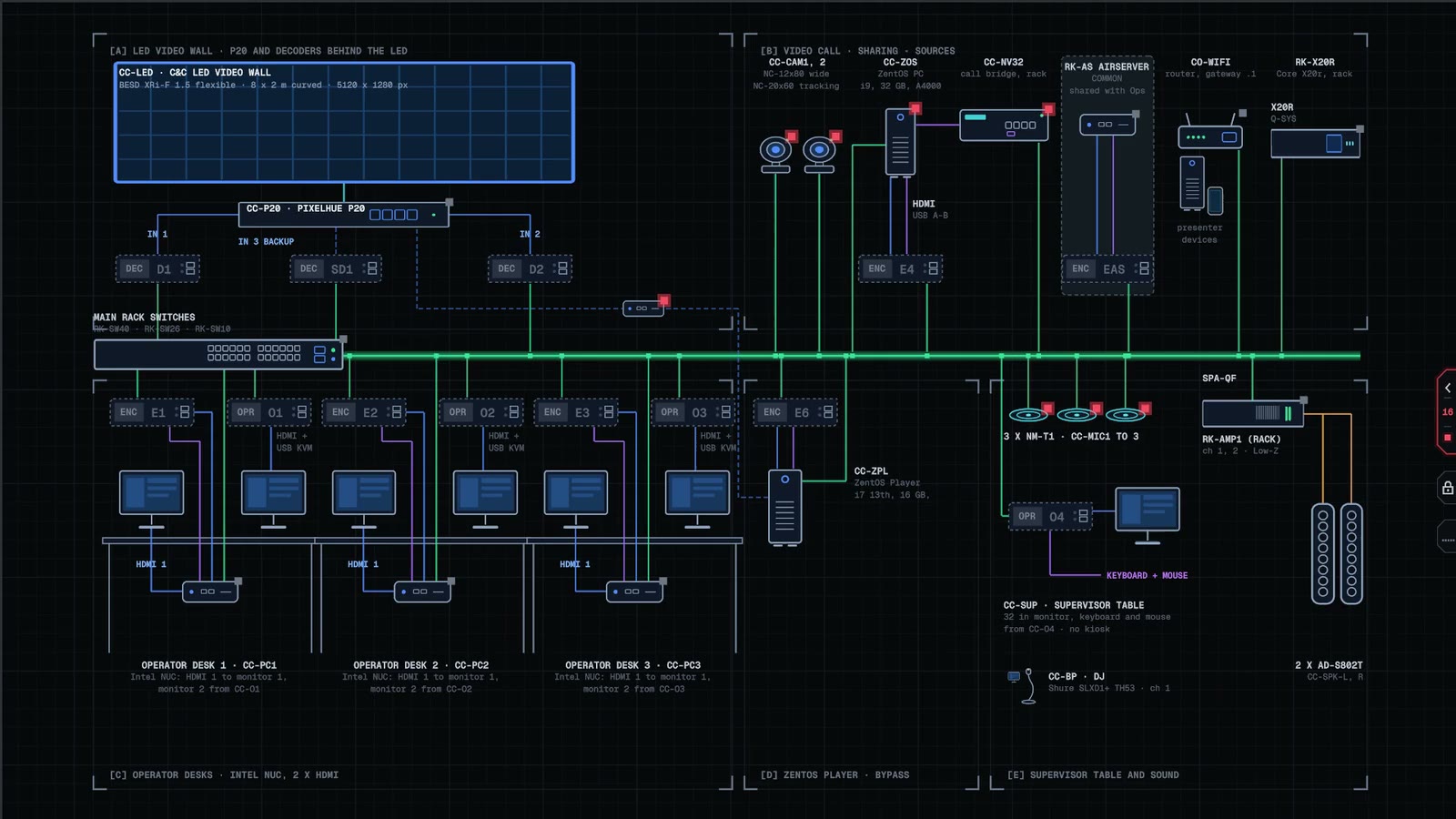
Kuege turns your site’s AV schematic into a live monitoring screen. Healthy paths glow, faults pulse, and every fault comes with a plain note on what to check.
01
Your schematic, awake.
The schematic your integrator made becomes the monitoring screen: an overview, one sheet per room and a live rack view.
A problem must show on two readings before it is raised, and related faults join into one cause: “part of the wall is dark: decoder offline”.
Kuege only asks for status, gently and on a calm schedule. It never sends a command your AV system depends on.
On the screen at the rack, by e-mail, Telegram or webhook, with a fixed checklist written by the ZentOS team.
02
Your integrator’s schematic becomes the monitoring screen. Healthy paths glow, a fault pulses with its cause written beside it, and nothing is ever sent to your system.
2×
readings before an alert
A problem must show twice before it is raised.
365
days of history
Every problem opening, changing and clearing, with its duration.
0
commands sent
Status only. A driver file has nowhere to hold a command.
4
alert channels
Screen, e-mail, Telegram and webhook.
Opening hours, holidays and show days make “off” expected, so displays switched off after closing are never faults.
Faults pulse slowly and never flash, and a new alert never moves the view the technician is looking at.
Monitoring works with no internet at all. The internet is only for alerts and updates.
03
From the wall to the UPS.
Light the whole chain from source to wall to see exactly where a picture stops.
Every issue carries a fixed, plain checklist written by the ZentOS team.
Opening hours, holidays and show days make “off” expected, so no night-time false alarms.
Faults pulse slowly and never flash; a new alert never moves the view.
Every problem opening, changing and clearing is kept with its duration.
One file holds the schematic, bindings, hours, settings and history, never passwords.
A watchdog restarts Kuege within seconds, and the screen shifts gently to prevent burn-in.
An assistant runs on the Node itself, with nothing leaving the site. Monitoring stays on fixed rules.
04
From a Node in the rack to a schematic that is alive.
One connection to the AV network and one to the office network, never passing traffic between them. A touch screen at the rack shows the schematic.
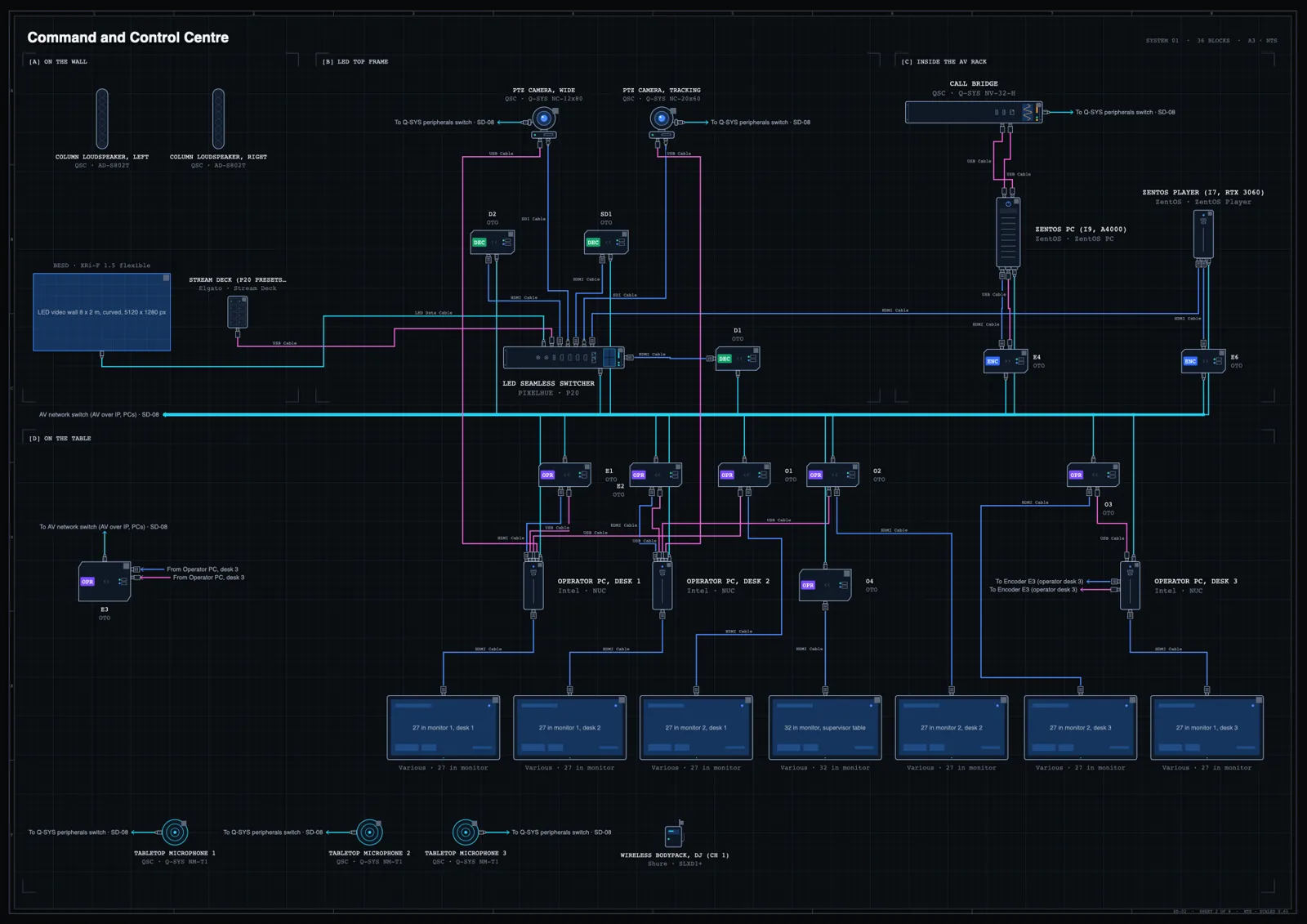
Import the existing schematic as a PDF or PowerPoint, or start from the bill of quantities. One tap lays the sheets out to a clean standard.
Each device is linked to its live status. Healthy paths carry a slow travelling light, faults pulse, and alerts go out.
05
The deepest integration is with OTO hardware and ZentOS consoles. Beyond that, anything with a network address can be watched.
06
Coming soon as an upgrade to Kuege.
The live schematic, the racks and a control panel in one 3D view of your site.
No. It reads status only. Two optional extras, a stored System ON/OFF message and alert signals to your control system, stay off unless a site switches them on.
No. Monitoring works fully offline. The internet is only for e-mail and Telegram alerts and online updates.
A Kuege Node in the rack with two wired network connections, and a screen, usually a landscape touch screen at the rack.
No. Site hours tell Kuege when “off” is expected, so displays switched off after closing are not alarms.
Yes. Kuege imports PDF or PowerPoint schematics and bills of quantities, then lays them out to a clean sheet standard.
ZentOS comes from Yugen, together with the OTO hardware it runs on. Book a demo and they will set up a time that suits you.